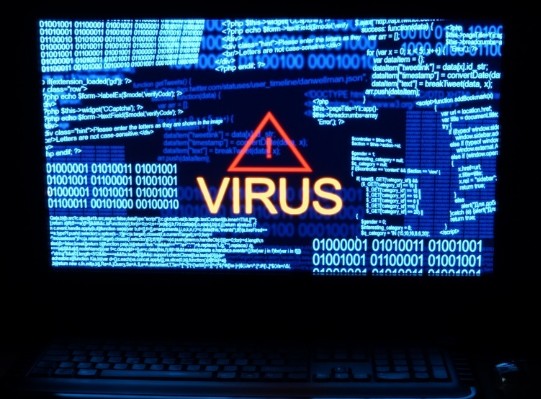
Computer viruses are malicious programs or files which can replicate themselves to other programs. They spread to vulnerable documents or codes. Computer viruses are created by internet frauds to hack systems and steal critical user data. Usually, they dupe their targets into clicking malicious links or opening compromised files on their computer. To reach targets, hackers usually share corrupted links/files via spam emails or post them as adverts on websites. Your computer could also get a virus/malware infection when you connect it to malicious storage devices like USB drives etc.
Computer viruses vary widely on their severity. When you suspect a virus attack, it’s prudent that you act fast to curb the effect from spreading.
How To Know If Your Computer Has Viruses?
Computer viruses are creepy, and some can stay in your device for a long time without being detected. When using the computer, you may get overwhelmed with lots of popup ads which in extreme cases may drastically slow down your computer. Dangerous viruses could also cause your computer to shut down completely. To check whether your computer is infected with a virus, check for these pointers;
Popup messages
When you’re using your computer, you may start getting popup messages showing that you’re running out of disc space. This message indicates that there’s insufficient space in a specific partition in the computer’s primary drive. It’s mainly common when you’ve exhausted disc space threshold that’s associated with the individual disc’s cleanup utility. In this case, it would indicate that the virus has sapped space in your computer’s drive especially if you are not aware of any files in your PC eating up space.
When your computer begins to slow down
The primary intentions of cybercriminals are to slow down your computer’s operating system when you’re using it. When your computer starts running slowly, it could indicate an infection in the device.
When you get an error on your PC
If you get error messages on your computers like missing files or corrupted files, it could signal red flags for a virus attack. They’re mainly common when your computer is attacked, and its performance hampered.
Annoying ads pop on your screen
Pop up ads is an intelligent way which a hacker would use to lure you to a more destructive site. Also known as spyware, such popup ads are engineered to steal your critical information silently. When you see so many popup ads in your screen at a time, it could signal a virus attack on your PC.
When friends and family members complain of receiving unexpected messages from you
This mostly happens after you are duped into running corrupted programs on your computer or opening malicious links. In this case, it would mean the attacker has exploited the vulnerability in your system and have gained access into your accounts’ admin portals.
What Can Computer Viruses Do To Your Computer?
A successful virus/malware attack on your computer could leave an array of effects on your computer. It can;
- Delete or modify your computer’s primary functionality.
- Delete or encrypt your vital data.
- Affect your computer speed.
- Cause the computer to crash.
How To Get Rid Of Computer Viruses?
You can get rid of viruses on your computer by doing any of these;
- Restore the system to a previous point in Windows machines
- Reformatting your computer
- Registry repair.
- Using antivirus
How To Protect Your Computer From Viruses?
Protecting your computer from viruses could be easier than removing the viruses/repairing it after a virus attack. These tips should help you keep dangerous virus/malware at bay.
- Routinely update your computer software.
- Do not open links from your spam emails or from sources you don’t trust.
- Use popup blocker on your PC.
- Do not download files you’re not sure of their sources.
- Use firewall protection on the device.
- Install superior antivirus software on the computer to regularly scan, and remove viruses from the machine.
How To Check For Viruses On Mac Computers?
If you’re using Mac computer, note that Apple has a built-in malware detection, and file quarantine feature in it. It’s designed to control how you download files to the network.
Nevertheless, if you accidentally permitted installation of a corrupted file or software, you can get rid of the virus this way;
Download ClamXav or Trend Micro, from the Mac App Store or ClamXav website. Install it then go to general settings, and scan for viruses, and remove them from the PC. ClamXav also lets you set up alerts for phishing messages and viruses.
Conclusion
As an additional safety measure against computer viruses, be sure not to share your critical data with persons you can’t trust. Moreover, do not permit access into your accounts’ admin portals by unauthorized users.